演示广告 · 虚构产品 · 16.1 秒,静音
音频设备 · 分步制作教程
车队通话耳机 AI 广告,使用角色: 柳夏蓝
赛车工程师轻点耳机,在维修车库的噪声中完成通话。由四个镜头、一张产品图和 19 图角色包制作。 下面按顺序记录完整制作流程:上传哪些包内图片、发送给 AI 的提示词原文、生成设置、返回结果、弃用的版本和剪辑方法。下载同款角色包,即可按这些步骤尝试制作。
- 角色
- 柳夏蓝
- 产品
- PITWAVE 车队通话耳机(虚构产品)
- 时长
- 4 个镜头与产品片尾卡,共 16.1 秒
- 生成次数
- 5 张图片,4 段视频
所需工具与素材
- 1
柳夏蓝角色包
免费下载,无需注册。 解压后按编号查找文件夹(01_character_reference、02_turnaround_views 等)。
- 2
支持多张参考图片的图像模型
本案例通过 KIE API 使用 GPT 图像模型,图生图。也可在支持 2–4 张参考图与文字提示词的图像模型中尝试,效果需自行检查。
- 3
Kling 3.0 图生视频
本案例使用 Kling 3.0 图生视频(720p,关闭声音) 和角色元素(保存的一组参考图片)。也可尝试其他图生视频模型,效果可能不同。
- 4
视频剪辑工具
可使用剪映、DaVinci Resolve、Premiere 或 ffmpeg,完成裁切、字幕、片尾卡和配乐。
步骤 1解压素材包,找到这些文件
本广告使用了 8 张包内图片。除此之外,只上传了第 3 步生成的产品图。文件路径与 ZIP 包内一致。
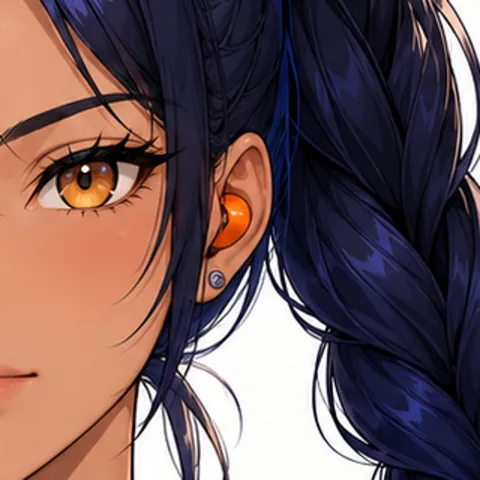 从 07_expressions_poses/expression_neutral.png 裁切耳机周围的正方形区域。用途: 产品静态图, 镜头 2 首帧
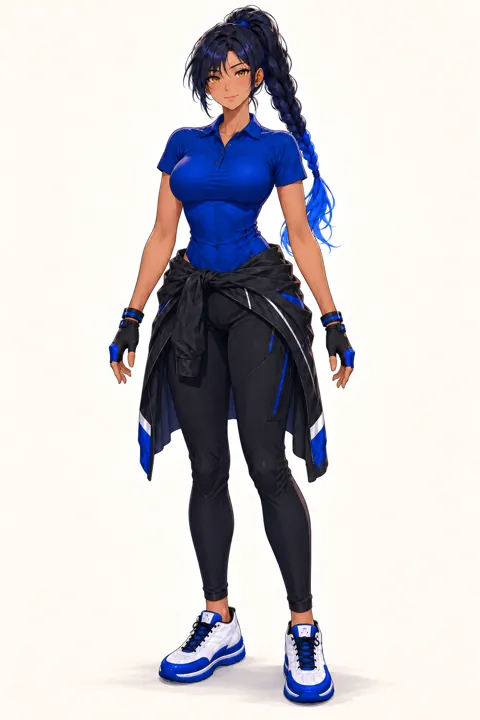 03_outfits/outfit_work.png用途: 产品静态图, 角色参考(视频), 镜头 1 首帧, 镜头 2 首帧, 镜头 3 首帧, 镜头 4 首帧
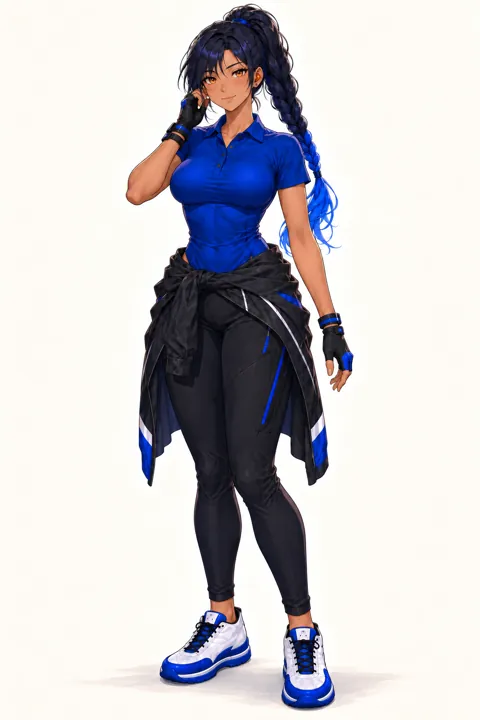 07_expressions_poses/pose_working.png用途: 角色参考(视频), 镜头 3 首帧
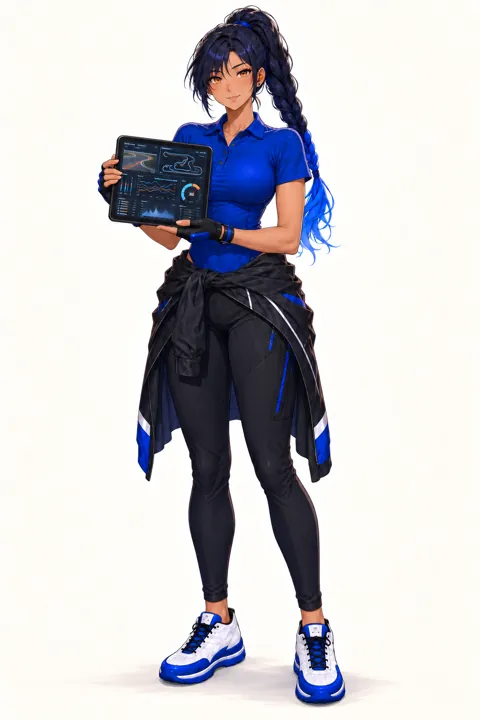 07_expressions_poses/pose_presenting.png用途: 角色参考(视频)
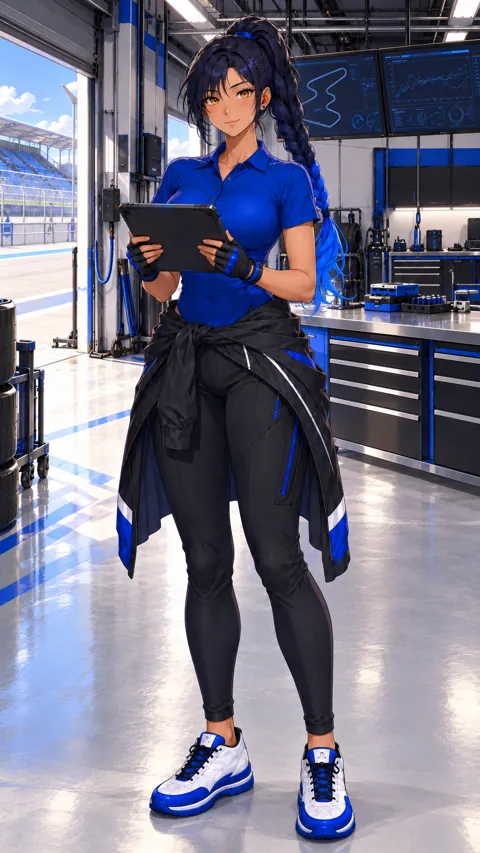 08_video_starters/video_starter_portrait.png用途: 角色参考(视频)
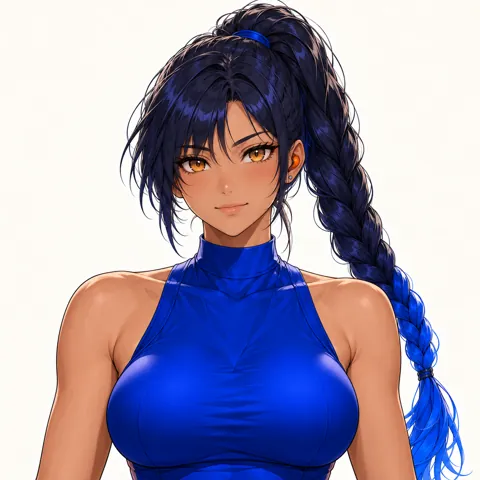 07_expressions_poses/expression_determined.png用途: 镜头 1 首帧, 镜头 3 首帧
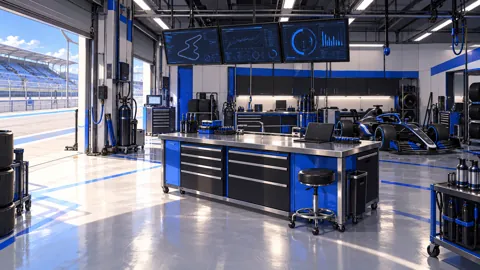 05_scenes/scene_workspace.png用途: 镜头 1 首帧, 镜头 3 首帧, 镜头 4 首帧
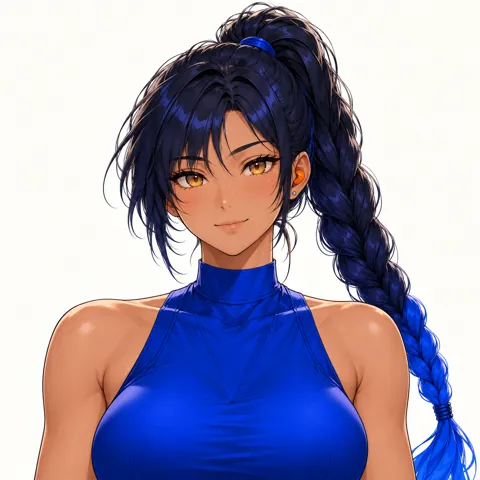 07_expressions_poses/expression_smile.png用途: 镜头 4 首帧
步骤 2固定角色描述
打开 01_character_reference/model_sheet.png,记录必须保持一致的肤色、眼睛、头发、服装和画风。将这段描述原样放在后续每条提示词开头。下面提供的原文已包含它,可直接复制。视频提示词的开头改为 @liu is the same …,用于引用第 4 步保存的角色参考。
以下英文为实际发送的提示词原文。复现案例时请原样复制。
Same adult woman as the reference images: warm tan skin, amber eyes, deep navy hair in a high long braid with cobalt-blue tips, small orange earpiece on her left ear, cobalt-blue short-sleeve work polo, black cargo trousers, black jacket tied at the waist, blue-black fingerless gloves. Anime illustration style exactly like the references.
以下英文为实际发送的提示词原文。复现案例时请原样复制。
The woman wears the cobalt short-sleeve work polo, never a sleeveless top.
以下英文为实际发送的提示词原文。复现案例时请原样复制。
no extra people, no text or logos, no outfit change, no sleeveless top, no scene cuts, no camera cuts, correct hands with five fingers, only one earpiece
步骤 3生成产品静态图
先生成一张产品图,用于片尾卡以及镜头参考,以保持产品外观一致。不要要求模型生成品牌文字,文字应在剪辑时添加。
你 · 产品静态图
1. 上传 2 张图片
- 平静表情(裁切)从 07_expressions_poses/expression_neutral.png 裁切耳机周围的正方形区域。
- 服装03_outfits/outfit_work.png
2. 原样发送以下提示词
以下英文为实际发送的提示词原文。复现案例时请原样复制。
Anime illustration product shot in exactly the same art style as the references. One small glossy orange in-ear earpiece, the same shape and colour as the earpiece in her ear in the first reference, lying beside its open matte-black charging case that has a thin cobalt-blue accent line. Centred on a dark charcoal studio surface, soft cobalt-blue rim light, subtle reflection, generous empty space on the left for a title. 16:9 still. No people, no text, no logos.
3. 生成设置
- GPT 图像模型,图生图
- 16:9
- 1K
AI 返回结果
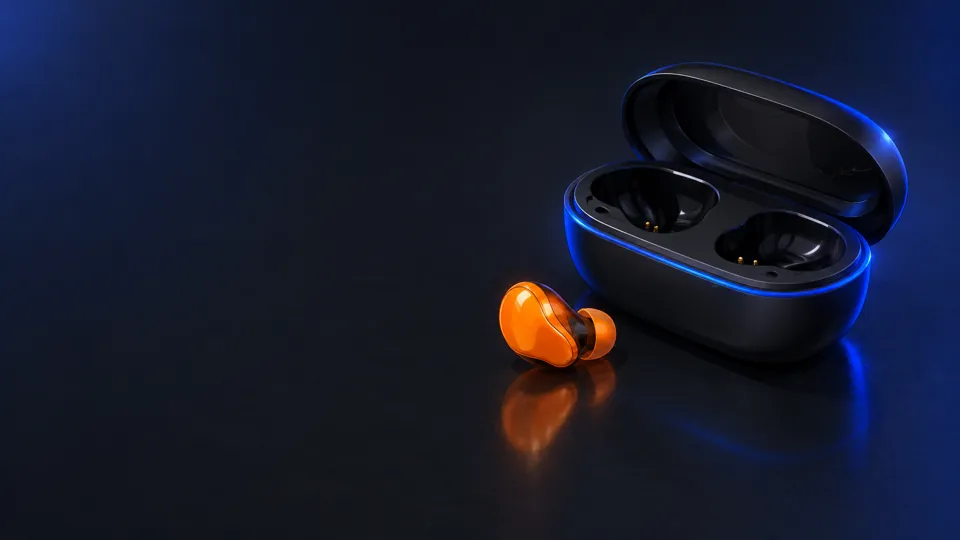
- 与角色包保持相同画风。
- 图片中不出现文字、标志或人物。
- 左侧留出放置品牌文字的空间。
步骤 4保存视频使用的角色参考
在 Kling 3.0 中,我们将这 4 张图片保存为一个角色元素,名称为 liu ,描述如下。之后每条视频提示词都以 @liu开头,让 Kling 参考这些图片保持面部和服装一致。若你使用的工具不支持角色元素,可以跳过这一步,使用首帧和固定角色描述作为参考。
- 服装03_outfits/outfit_work.png
- 工作动作07_expressions_poses/pose_working.png
- 展示动作07_expressions_poses/pose_presenting.png
- 竖版视频首帧08_video_starters/video_starter_portrait.png
以下英文为实际发送的提示词原文。复现案例时请原样复制。
liu
以下英文为实际发送的提示词原文。复现案例时请原样复制。
adult woman race engineer, cobalt short-sleeve work polo
步骤 5镜头 1:车库噪声
3秒成片· 字幕:“120 dB in the pit garage”
1A · 生成镜头首帧
你 · 首帧图
1. 上传 3 张图片
- 坚定表情07_expressions_poses/expression_determined.png
- 服装03_outfits/outfit_work.png
- 场景05_scenes/scene_workspace.png
2. 原样发送以下提示词
以下英文为实际发送的提示词原文。复现案例时请原样复制。
Same adult woman as the reference images: warm tan skin, amber eyes, deep navy hair in a high long braid with cobalt-blue tips, small orange earpiece on her left ear, cobalt-blue short-sleeve work polo, black cargo trousers, black jacket tied at the waist, blue-black fingerless gloves. Anime illustration style exactly like the references. Medium shot in a racing pit garage full of noise: she stands at the telemetry workbench, wincing with eyes half shut, her gloved left hand raised beside her left ear where the small orange earpiece sits. Blurred blue monitors, tool carts, heat haze, sparks in the far background. Cool blue light. Create one 16:9 cinematic still frame for this shot. The woman wears the cobalt short-sleeve work polo, never a sleeveless top. Clean anatomy, no text, no logos.
3. 生成设置
- GPT 图像模型,图生图
- 16:9
- 1K
AI 返回结果
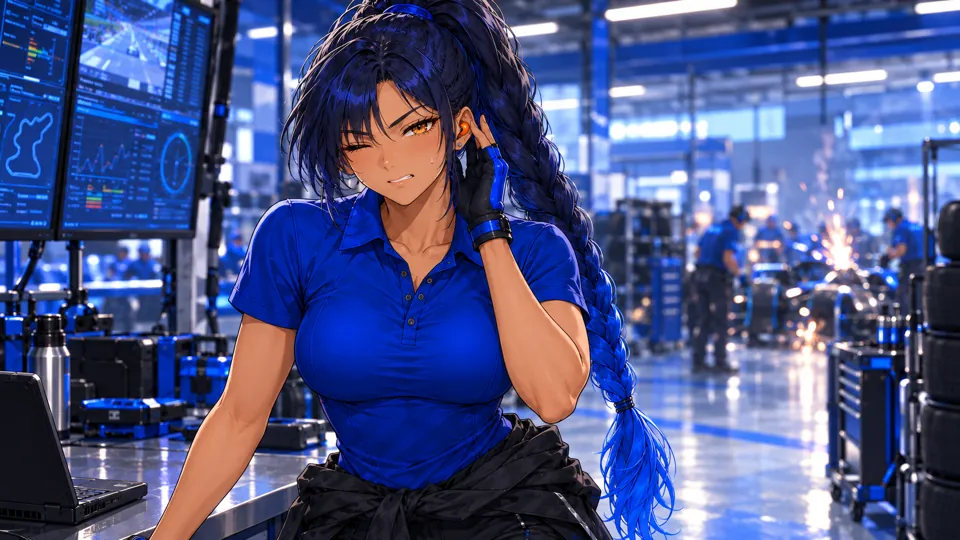
- 面部、头发和服装与三视图一致。
- 手指结构正确,没有文字或标志。
- 若有错误,请在生成视频前重新生成首帧。首帧质量会影响视频质量。
1B · 生成视频
你 · 视频
1. 上传 1 张图片
- 起始帧: 1a,以及第 4 步中的 @liu 角色元素
2. 原样发送以下提示词
以下英文为实际发送的提示词原文。复现案例时请原样复制。
@liu is the same adult woman: warm tan skin, amber eyes, deep navy hair in a high long braid with cobalt-blue tips, small orange earpiece on her left ear, cobalt-blue short-sleeve work polo, black cargo trousers, black jacket tied at the waist, blue-black fingerless gloves. Anime illustration style exactly like the references. Medium shot in a loud racing pit garage. She winces at the deafening engine noise, shoulders tense, gloved hand pressed beside her left ear. Monitors and tools shake slightly with the vibration. Slight handheld shake, single continuous shot. Negative: no extra people, no text or logos, no outfit change, no sleeveless top, no scene cuts, no camera cuts, correct hands with five fingers, only one earpiece.
3. 生成设置
- Kling 3.0 图生视频
- 标准模式,720p
- 3 秒
- 关闭声音
- 单镜头(关闭多镜头)
AI 返回结果
1C · 检查结果并裁切
- 第一次生成的结果可用.
- 看完整段视频。如果模型切换了机位、改变了服装或增加了人物,需要重新生成;这些情况可能发生。
- 用途 0–3 s ,原视频总长为 3秒。
- 保存为
shot-1.mp4.
步骤 6镜头 2:轻点耳机
3秒成片· 字幕:“One tap. Noise out.”
2A · 生成镜头首帧
你 · 首帧图
1. 上传 3 张图片
- 产品静态图(在产品步骤生成)在产品步骤中生成的图片。
- 平静表情(裁切)从 07_expressions_poses/expression_neutral.png 裁切耳机周围的正方形区域。
- 服装03_outfits/outfit_work.png
2. 原样发送以下提示词
以下英文为实际发送的提示词原文。复现案例时请原样复制。
Same adult woman as the reference images: warm tan skin, amber eyes, deep navy hair in a high long braid with cobalt-blue tips, small orange earpiece on her left ear, cobalt-blue short-sleeve work polo, black cargo trousers, black jacket tied at the waist, blue-black fingerless gloves. Anime illustration style exactly like the references. Extreme close-up in profile of her left ear and cheek: the small orange earpiece from the product reference sits in her ear, her braid behind it, and the tip of her gloved index finger is just about to touch the earpiece. Blurred blue garage monitors behind, shallow depth of field. Create one 16:9 cinematic still frame for this shot. The woman wears the cobalt short-sleeve work polo, never a sleeveless top. Clean anatomy, no text, no logos.
3. 生成设置
- GPT 图像模型,图生图
- 16:9
- 1K
AI 返回结果
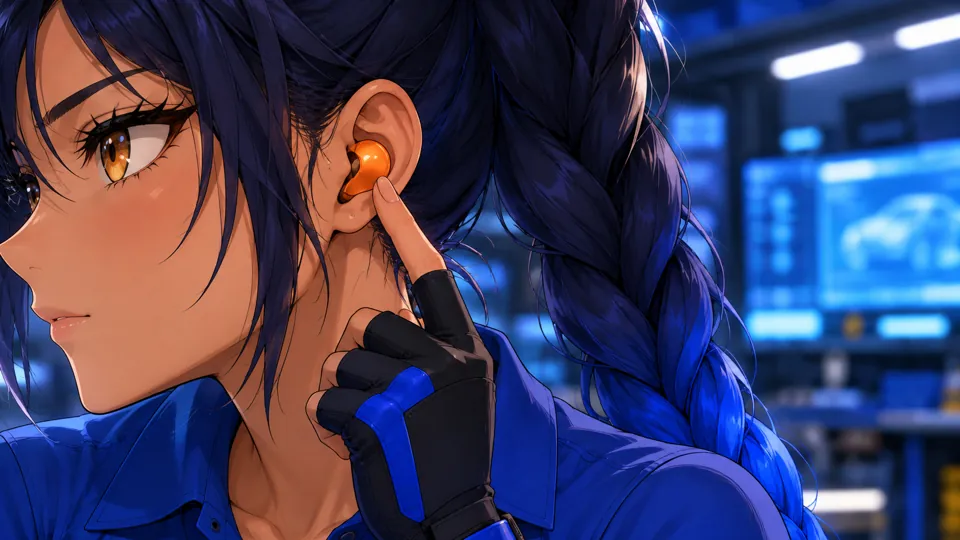
- 面部、头发和服装与三视图一致。
- 手指结构正确,没有文字或标志。
- 若有错误,请在生成视频前重新生成首帧。首帧质量会影响视频质量。
2B · 生成视频
你 · 视频
1. 上传 1 张图片
- 起始帧: 2a,以及第 4 步中的 @liu 角色元素
2. 原样发送以下提示词
以下英文为实际发送的提示词原文。复现案例时请原样复制。
@liu is the same adult woman: warm tan skin, amber eyes, deep navy hair in a high long braid with cobalt-blue tips, small orange earpiece on her left ear, cobalt-blue short-sleeve work polo, black cargo trousers, black jacket tied at the waist, blue-black fingerless gloves. Anime illustration style exactly like the references. Extreme close-up of her left ear in profile. Her gloved fingertip taps the small orange earpiece once and a tiny cobalt light on it glows softly; her eyelids lower and her face relaxes into calm. Static macro camera with a very slow push-in, single continuous shot. Negative: no extra people, no text or logos, no outfit change, no sleeveless top, no scene cuts, no camera cuts, correct hands with five fingers, only one earpiece.
3. 生成设置
- Kling 3.0 图生视频
- 标准模式,720p
- 3 秒
- 关闭声音
- 单镜头(关闭多镜头)
AI 返回结果
2C · 检查结果并裁切
- 第一次生成的结果可用.
- 看完整段视频。如果模型切换了机位、改变了服装或增加了人物,需要重新生成;这些情况可能发生。
- 用途 0–3 s ,原视频总长为 3秒。
- 保存为
shot-2.mp4.
步骤 7镜头 3:无线通话
3.6秒成片· 字幕:“Every call, crystal clear.”
3A · 生成镜头首帧
你 · 首帧图
1. 上传 4 张图片
- 工作动作07_expressions_poses/pose_working.png
- 服装03_outfits/outfit_work.png
- 坚定表情07_expressions_poses/expression_determined.png
- 场景05_scenes/scene_workspace.png
2. 原样发送以下提示词
以下英文为实际发送的提示词原文。复现案例时请原样复制。
Same adult woman as the reference images: warm tan skin, amber eyes, deep navy hair in a high long braid with cobalt-blue tips, small orange earpiece on her left ear, cobalt-blue short-sleeve work polo, black cargo trousers, black jacket tied at the waist, blue-black fingerless gloves. Anime illustration style exactly like the references. Chest-up shot in the garage, blurred blue monitors behind. She presses the orange earpiece with her gloved left hand and says one short word, eyes firm. Slow push-in, shallow depth of field. Serious, decisive expression, brows lowered; no smile. Create one 16:9 cinematic still frame for this shot. The woman wears the cobalt short-sleeve work polo, never a sleeveless top. Clean anatomy, no text, no logos.
3. 生成设置
- GPT 图像模型,图生图
- 16:9
- 1K
AI 返回结果
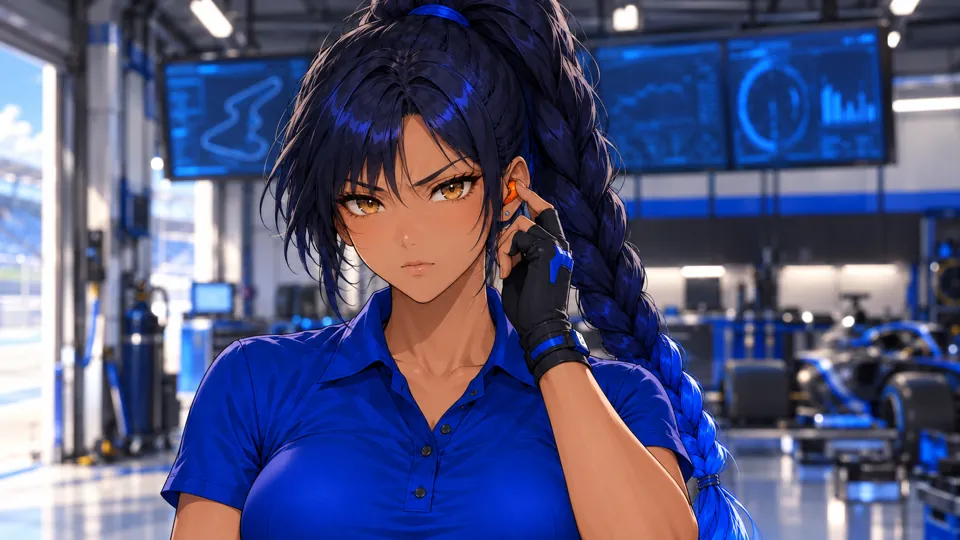
- 面部、头发和服装与三视图一致。
- 手指结构正确,没有文字或标志。
- 若有错误,请在生成视频前重新生成首帧。首帧质量会影响视频质量。
3B · 生成视频
你 · 视频
1. 上传 1 张图片
- 起始帧: 3a,以及第 4 步中的 @liu 角色元素
2. 原样发送以下提示词
以下英文为实际发送的提示词原文。复现案例时请原样复制。
@liu is the same adult woman: warm tan skin, amber eyes, deep navy hair in a high long braid with cobalt-blue tips, small orange earpiece on her left ear, cobalt-blue short-sleeve work polo, black cargo trousers, black jacket tied at the waist, blue-black fingerless gloves. Anime illustration style exactly like the references. Chest-up shot in the garage, blurred blue monitors behind. She presses the orange earpiece with her gloved left hand and says one short word, eyes firm. Slow push-in, shallow depth of field. Serious, decisive expression, brows lowered; no smile. Negative: no extra people, no text or logos, no outfit change, no sleeveless top, no scene cuts, correct hands with five fingers.
3. 生成设置
- Kling 3.0 图生视频
- 标准模式,720p
- 4 秒
- 关闭声音
- 单镜头(关闭多镜头)
AI 返回结果
3C · 检查结果并裁切
- 第一次生成的结果可用.
- 看完整段视频。如果模型切换了机位、改变了服装或增加了人物,需要重新生成;这些情况可能发生。
- 用途 0.2–3.8 s ,原视频总长为 4秒。 跳过开头 0.2 秒,让镜头从动作开始。
- 保存为
shot-3.mp4.
步骤 8镜头 4:放松下来
3秒成片
4A · 生成镜头首帧
你 · 首帧图
1. 上传 3 张图片
- 服装03_outfits/outfit_work.png
- 微笑表情07_expressions_poses/expression_smile.png
- 场景05_scenes/scene_workspace.png
2. 原样发送以下提示词
以下英文为实际发送的提示词原文。复现案例时请原样复制。
Same adult woman as the reference images: warm tan skin, amber eyes, deep navy hair in a high long braid with cobalt-blue tips, small orange earpiece on her left ear, cobalt-blue short-sleeve work polo, black cargo trousers, black jacket tied at the waist, blue-black fingerless gloves. Anime illustration style exactly like the references. Medium shot facing her at the workbench. She exhales, her shoulders relax, and a small relieved smile appears as she glances at the camera. Static camera, then a gentle push. Her expression goes from tense to a soft, relieved closed-mouth smile. Create one 16:9 cinematic still frame for this shot. The woman wears the cobalt short-sleeve work polo, never a sleeveless top. Clean anatomy, no text, no logos.
3. 生成设置
- GPT 图像模型,图生图
- 16:9
- 1K
AI 返回结果
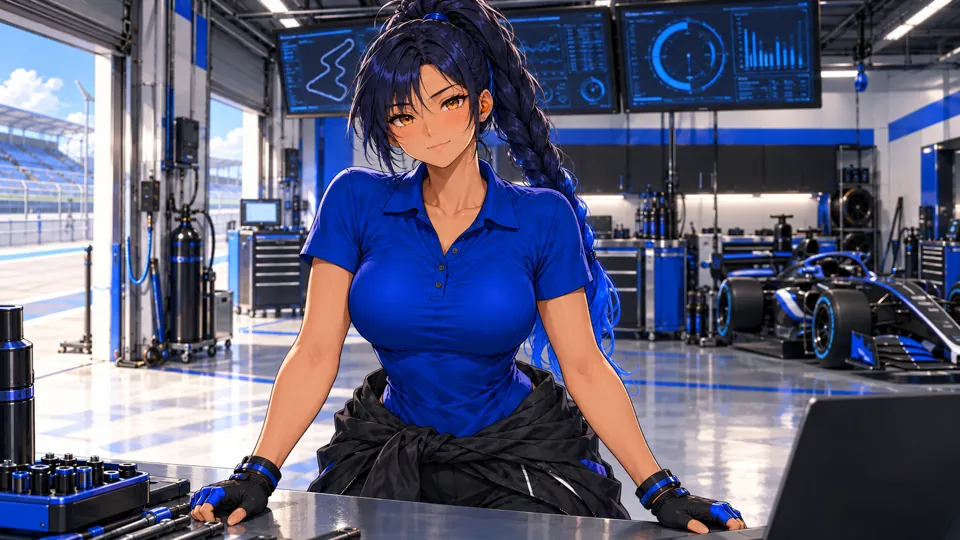
- 面部、头发和服装与三视图一致。
- 手指结构正确,没有文字或标志。
- 若有错误,请在生成视频前重新生成首帧。首帧质量会影响视频质量。
4B · 生成视频
你 · 视频
1. 上传 1 张图片
- 起始帧: 4a,以及第 4 步中的 @liu 角色元素
2. 原样发送以下提示词
以下英文为实际发送的提示词原文。复现案例时请原样复制。
@liu is the same adult woman: warm tan skin, amber eyes, deep navy hair in a high long braid with cobalt-blue tips, small orange earpiece on her left ear, cobalt-blue short-sleeve work polo, black cargo trousers, black jacket tied at the waist, blue-black fingerless gloves. Anime illustration style exactly like the references. Medium shot facing her at the workbench. She exhales, her shoulders relax, and a small relieved smile appears as she glances at the camera. Static camera, then a gentle push. Her expression goes from tense to a soft, relieved closed-mouth smile. Negative: no extra people, no text or logos, no outfit change, no sleeveless top, no scene cuts, correct hands with five fingers.
3. 生成设置
- Kling 3.0 图生视频
- 标准模式,720p
- 4 秒
- 关闭声音
- 单镜头(关闭多镜头)
AI 返回结果
4C · 检查结果并裁切
- 第一次生成的结果可用.
- 看完整段视频。如果模型切换了机位、改变了服装或增加了人物,需要重新生成;这些情况可能发生。
- 用途 0–3 s ,原视频总长为 4秒。
- 保存为
shot-4.mp4.
步骤 9剪辑广告
创建 1920×1080 项目,帧率为 24 fps,将片段依次硬切拼接,不加转场。成片时长为 16.1 秒。
| # | 文件 | 用途 | 时长 | 字幕 |
|---|---|---|---|---|
| 1 | shot-1.mp4 | 0–3 s | 3 s | 120 dB in the pit garage |
| 2 | shot-2.mp4 | 0–3 s | 3 s | One tap. Noise out. |
| 3 | shot-3.mp4 | 0.2–3.8 s | 3.6 s | Every call, crystal clear. |
| 4 | shot-4.mp4 | 0–3 s | 3 s | — |
| 5 | product.png | 片尾卡 | 3.5 s | PITWAVE / 车队通话耳机 / One tap. Every call clear. |
字幕设置
- 左下角:距左侧 110 px,距底部 170 px。
- 白色、粗体斜体、54 px(本案例使用 Avenir Next)。
- 置于不透明度约 47% 的黑色圆角底板上。
- “演示广告 · 虚构产品”标记用于说明本案例的产品是虚构的;制作真实产品广告时可按实际情况处理。
片尾卡
- 产品图 product.png 显示 3.5 秒,缓慢放大至约 110%。
- A 近黑色 渐变覆盖左侧约 60% 区域,提高文字可读性。
- PITWAVE 使用粗体斜体,字号 130 px; 车队通话耳机 字号 52 px;标语字号 40 px,颜色为 #f4f06a.
- 片尾卡出现 0.3 秒后,文字用 0.4 秒淡入。
配乐与导出
- 全片使用一条配乐:开头用 0.5 秒淡入,最后 1.5 秒淡出。请使用你拥有相应使用权的音乐。
- 导出 H.264 MP4, 1920×1080.
- Kling 原始片段为 720p;本案例剪辑时缩放为 1080p,缩放不会增加原生细节。
使用命令行?查看同款 ffmpeg 剪辑脚本
将片段、product.png、music.mp3 和两个字体文件放在同一文件夹中执行脚本。此脚本已用本案例原始片段运行,复现了上述剪辑。
以下英文为实际发送的提示词原文。复现案例时请原样复制。
#!/bin/sh # Cut the PITWAVE ad: 4 shots + a 3.5 s product end card, 1920x1080, 24 fps. # Put these files in one folder first: # shot-1.mp4 the video you kept for "车库噪声" # shot-2.mp4 the video you kept for "轻点耳机" # shot-3.mp4 the video you kept for "无线通话" # shot-4.mp4 the video you kept for "放松下来" # product.png the product still # music.mp3 a track you have the rights to use # title.ttf font for captions and the brand (we used Avenir Next Bold Italic) # text.ttf font for the product name and tagline (we used Avenir Next Bold) # Needs an ffmpeg build with the drawtext filter: `ffmpeg -filters | grep drawtext` # must print a line (the static builds linked from ffmpeg.org have it). set -e # 1. Trim each shot, scale it to 1080p and burn in its caption. ffmpeg -y -ss 0 -t 3 -i shot-1.mp4 -an \ -vf "scale=1920:1080:flags=lanczos,fps=24,setsar=1,format=yuv420p,drawtext=fontfile=title.ttf:text='120 dB in the pit garage':fontsize=54:fontcolor=white:x=110:y=h-170:box=1:boxcolor=black@0.47:boxborderw=18" \ -c:v libx264 -crf 17 part-1.mp4 ffmpeg -y -ss 0 -t 3 -i shot-2.mp4 -an \ -vf "scale=1920:1080:flags=lanczos,fps=24,setsar=1,format=yuv420p,drawtext=fontfile=title.ttf:text='One tap. Noise out.':fontsize=54:fontcolor=white:x=110:y=h-170:box=1:boxcolor=black@0.47:boxborderw=18" \ -c:v libx264 -crf 17 part-2.mp4 ffmpeg -y -ss 0.2 -t 3.6 -i shot-3.mp4 -an \ -vf "scale=1920:1080:flags=lanczos,fps=24,setsar=1,format=yuv420p,drawtext=fontfile=title.ttf:text='Every call, crystal clear.':fontsize=54:fontcolor=white:x=110:y=h-170:box=1:boxcolor=black@0.47:boxborderw=18" \ -c:v libx264 -crf 17 part-3.mp4 ffmpeg -y -ss 0 -t 3 -i shot-4.mp4 -an \ -vf "scale=1920:1080:flags=lanczos,fps=24,setsar=1,format=yuv420p" \ -c:v libx264 -crf 17 part-4.mp4 # 2. End card: the product still with a slow push-in, a soft dark fade on the left and the brand. ffmpeg -y -loop 1 -i product.png -f lavfi -i "color=c=0x080A10:s=1920x1080:r=24" -filter_complex \ "[0:v]scale=3840:2160,zoompan=z='1+0.0012*on':x='iw/2-(iw/zoom/2)':y='ih/2-(ih/zoom/2)':d=84:s=1920x1080:fps=24[p];[1:v]format=rgba,geq=r='r(X,Y)':g='g(X,Y)':b='b(X,Y)':a='if(lt(X,1190),215*pow(1-X/1190,1.4),0)'[s];[p][s]overlay=0:0:shortest=1,drawtext=fontfile=title.ttf:text='PITWAVE':fontsize=130:fontcolor=white:x=130:y=330:alpha='min(1,max(0,(t-0.3)/0.4))',drawtext=fontfile=text.ttf:text='车队通话耳机':fontsize=52:fontcolor=0xCDD7EB:x=136:y=490:alpha='min(1,max(0,(t-0.3)/0.4))',drawtext=fontfile=text.ttf:text='One tap. Every call clear.':fontsize=40:fontcolor=0xf4f06a:x=136:y=575:alpha='min(1,max(0,(t-0.3)/0.4))',format=yuv420p" \ -t 3.5 -c:v libx264 -crf 17 end-card.mp4 # 3. Join the parts with hard cuts. printf "file 'part-1.mp4'\nfile 'part-2.mp4'\nfile 'part-3.mp4'\nfile 'part-4.mp4'\nfile 'end-card.mp4'\n" > parts.txt ffmpeg -y -f concat -safe 0 -i parts.txt -c copy ad-silent.mp4 # 4. Lay the music under it: fade in 0.5 s, fade out over the last 1.5 s. ffmpeg -y -i ad-silent.mp4 -i music.mp3 -filter_complex \ "[1:a]atrim=0:16.1,asetpts=PTS-STARTPTS,afade=t=in:st=0:d=0.5,afade=t=out:st=14.6:d=1.5,volume=0.9[a]" \ -map 0:v -map "[a]" -c:v copy -c:a aac -b:a 192k -t 16.1 -movflags +faststart liu-xialan-ad.mp4
用这个角色制作你自己的广告: 柳夏蓝
参考上述步骤,替换产品图和镜头内容,继续使用固定角色描述与角色参考。