How to make a character talk with OmniHuman v2
OmniHuman v2 turns one character image and one voice recording into a talking video with lip-sync. On fal it takes 4 seconds to 5 minutes of WAV or MP3 audio and costs $0.105 per second of video. This guide works from a character pack on this site: which single image to give it, how to prepare the voice, and how to cut the result into a longer character video.
We have not made an example with OmniHuman v2 yet. This page follows fal's published limits for the model; the nine examples on this site were made with Kling 3.0.
What OmniHuman v2 on fal accepts
Checked 2026-10-16- One image: JPEG, PNG, WebP, BMP, TIFF, GIF or HEIC, up to 30 MB, 300 to 6000 px on each side, width-to-height ratio between 0.4 and 2.5.
- One audio file: WAV or MP3, up to 15 MB, 4 to 300 seconds long. The video runs as long as the audio.
- An optional text prompt steers the scene, movement and camera, in Chinese, English, Japanese, Korean, Mexican Spanish or Indonesian.
- fal lists the price at $0.105 per second, billed on the audio's length.
- fal's v2 page talks about animating the person in the image. It says nothing about stylized or anime characters.
Sources: fal: OmniHuman v2 API · fal: OmniHuman v2 playground and pricing · fal: OmniHuman v1.5 API · fal: OmniHuman 1.5 vs OmniHuman · fal on X: OmniHuman (v1) launch · Scenario: Lip sync models overview
Step 1: Pick one character image
OmniHuman v2 does not combine several references the way Kling or Vidu do. It animates the one image you give it and keeps that image's framing and shape, so pick the file that already looks like the shot you want. Each of these pack files fits fal's size and ratio limits as downloaded:
- 9:16 talking short, character already in the scene
08_video_starters/video_starter_portrait.png - 16:9 explainer or ad
08_video_starters/video_starter_landscape.png - Square close-up: pick the expression closest to the line's mood
07_expressions_poses/expression_*.png - Whole figure on a plain background, room for gestures
01_character_reference/full_body.png
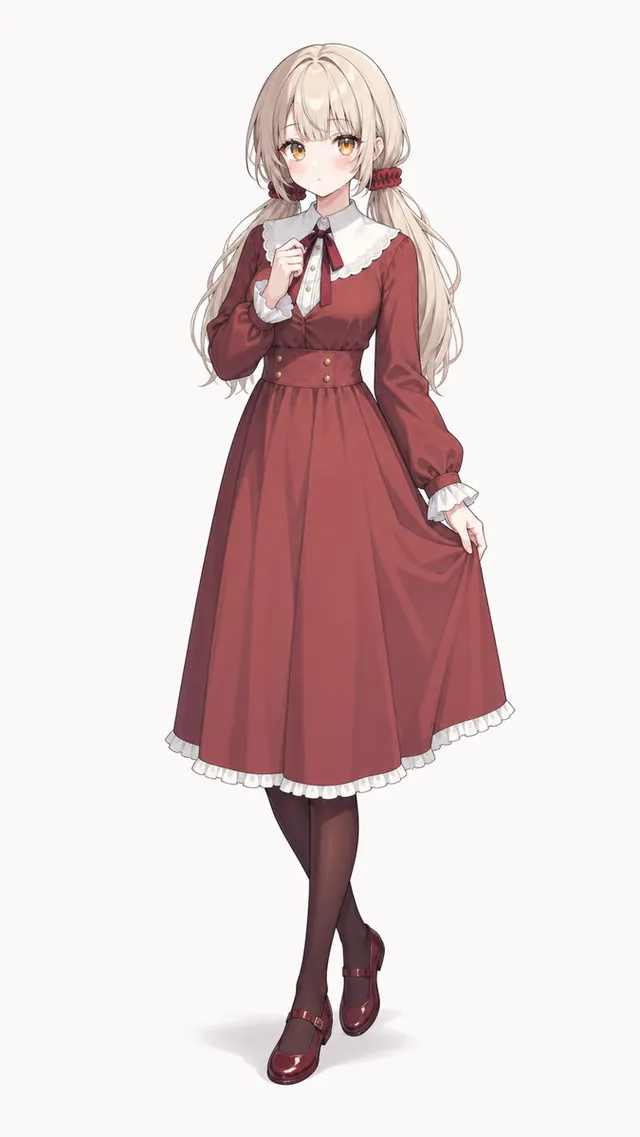
Whichever you choose, the face should be large, turned to the camera and uncovered. A hand, prop or hair across the mouth leaves the model nothing to sync.
Leave out the side and back views and the overview sheet. Only one image is used and the model needs to see the face, so the views have no job here. Keep them for the Kling or Vidu shots around the talking clip.
Step 2: Prepare the voice track
- Record your own voice, or generate one with a text-to-speech tool whose terms let you use it.
- Keep it between 4 seconds and 5 minutes and under 15 MB. A one-minute 44.1 kHz stereo WAV is already about 10.6 MB, so export longer lines as MP3.
- Send one clear voice with no music under it, and add music in the edit afterwards. (Our advice, not fal's.)
- Trim silence at the start and end: you pay for the audio's full length.
Step 3: Write the optional prompt
Describe the performance and the camera, not the character's looks: the image already sets those.
[Name] speaks to the camera with a [warm / excited / serious] expression, [small hand gestures / nodding while explaining], [static medium shot / slow push-in], single continuous shot.
Step 4: Run it on fal
Without code, open the model's playground on fal, upload the image and the audio, and paste the prompt. From code, use fal's JavaScript client (@fal-ai/client) with FAL_KEY set. Both inputs are URLs, so upload local files with fal.storage.upload first.
Open OmniHuman v2 on falimport { fal } from '@fal-ai/client'; // FAL_KEY is read from the environment. const result = await fal.subscribe('fal-ai/bytedance/omnihuman/v2', { input: { image_url: 'https://example.com/video_starter_portrait.png', audio_url: 'https://example.com/line_01.mp3', prompt: 'She speaks to the camera with a warm expression, slow push-in.', }, }); console.log(result.data.video.url);
Step 5: Cut it into the character video
Use OmniHuman v2 for the lines spoken to camera and Kling or Vidu for the action shots around them. Both start from the same character pack, so the character matches across the cut.
Build the action shots with Kling 3.0OmniHuman v1, v1.5 and v2 on fal
fal hosts three OmniHuman versions as separate endpoints. v2 costs the least per second and takes the longest audio; v1.5 is the only one where you choose the output resolution.
| Version | Audio length | Resolution | Other inputs | Price on fal |
|---|---|---|---|---|
| OmniHuman v1 | Under 30 s | Not selectable | None | $0.14 / s |
| OmniHuman v1.5 | Under 60 s at 720p, under 30 s at 1080p | 720p or 1080p | Prompt, turbo mode, mask to pick who speaks | $0.16 / s |
| OmniHuman v2 | 4 to 300 s | Not selectable | Prompt in 6 languages | $0.105 / s |
Questions
- Can OmniHuman v2 make an anime character talk?
- Probably, but no source says so for v2. fal's v2 page only mentions the person in the image, and we have not tested stylized characters. fal said the first OmniHuman also worked for cartoons and non-human characters, and Scenario's lip-sync overview lists OmniHuman among models that handle cartoon characters well. Try a 4-second clip before paying for a long one.
- Can I use the three-view turnaround sheet?
- Not as the input. OmniHuman v2 animates the one image you give it as it is, so a sheet would give you three small figures. Use a single front-facing image; the views are for the other shots in your video.
- How long can a talking clip be, and what does it cost?
- As long as the audio: 4 seconds to 5 minutes on fal. At the listed $0.105 per second, a 30-second line costs about $3.15 and a 5-minute one about $31.50.
- Should I use OmniHuman 1.5 or v2?
- On fal, v2 costs less per second ($0.105 against $0.16) and takes audio up to 5 minutes instead of 60 seconds. Pick v1.5 if you need to choose 1080p or use a mask to pick which person speaks; v2 offers neither.
Start with a free character
Every character's full 19-image pack is free: eight starter characters need no account, the rest a free sign-up. All nine example ads use pack images only.
Browse free characters